 K3N8H
Client Ops Tracker
Clients, sessions, and invoices in three linked tables — import straight into Airtable or Sheets.
A drop-in system for a solo or small coaching practice: client roster, session log, and invoice tracker, pre-filled with realistic sample rows.
Runs where you work
Built for a private workflow: local-first execution, no forced cloud dependency, and a clear path to use it on a laptop or phone without an API key.
Included value
Each product is designed to feel personal, useful, and complete without turning your work into an external dependency.
Free tools that go with this
These run in your browser, need no account, and keep what they remember on your own device.
Preview
Open full preview →Client Ops Tracker
What's included
- Clients.csv
- Sessions.csv
- Invoices.csv
- README.md with field reference
Built with
Includes CSV files you can open in any spreadsheet, plus the written guide
License & pricing
Try it before you buy. The preview above is the real product, not a mockup.
Personal License
$13
For your own work or your own business. No client work, and no resale or redistribution of the files.
Commercial License
$36
Use across client work or resell the output. No reselling the source files/template itself.
Refund terms are set per product, and checkout through Whop or Gumroad has its own buyer protection. Questions before you buy? Ask in the chat or on the feedback page; we'll help where we can.
Code / Templates — publishing standard
- Required deliverables: Drop-in code/system, README, Run proof
- README required
- Proof-it-runs evidence required
- Personal vs. commercial license tiers offered
Automations, Notion/Airtable/sheet systems, boilerplates, extensions. Personal vs commercial license tiers.
More from Coaches & Consultants

The 5-Client Month
A week-by-week plan to book 5 new clients from your warm network — no ad spend.
Session Notes Summarizer
Raw session notes in, structured summary with action items out — one command.
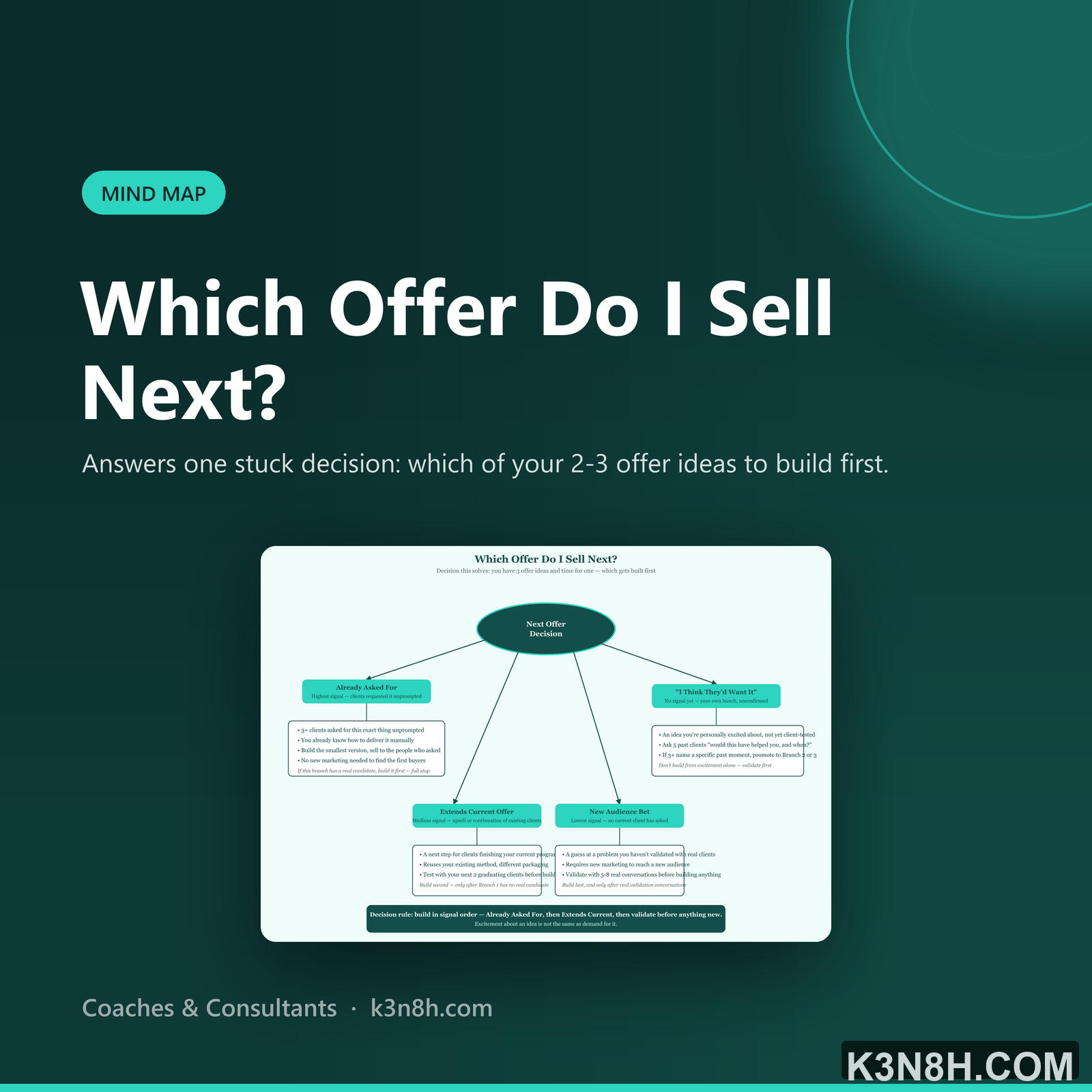
Which Offer Do I Sell Next?
Answers one stuck decision: which of your 2-3 offer ideas to build first.