 K3N8H
The 5-Day Listing Launch
A day-by-day checklist for the week before your next listing goes live.
K3N8H Verified
- ✓ Real preview shipped
- ✓ License terms specified
A short, tactical ebook: five days of concrete pre-launch steps (facts, photos, copy, warming your sphere, going live) plus a 72-hour post-launch follow-up section. Built for a solo agent doing their own marketing prep.
Runs where you work
Built for a private workflow: local-first execution, no forced cloud dependency, and a clear path to use it on a laptop or phone without an API key.
Included value
Each product is designed to feel personal, useful, and complete without turning your work into an external dependency.
Free tools that go with this
These run in your browser, need no account, and keep what they remember on your own device.
Preview
Open full preview →The 5-Day Listing Launch
The 5-Day Listing Launch
A Solo Agent's Checklist for the Week Before Your Next Listing Goes Live
Table of Contents
- Why the Launch Week Matters More Than the Listing
- Day 1 — Lock the Facts
- Day 2 — Shoot and Sort
- Day 3 — Write and Schedule
- Day 4 — Warm the List
- Day 5 — Go Live
- After Launch: The 72-Hour Follow-Up
1. Why the Launch Week Matters More Than the Listing
Most of a listing's inbound interest happens in its first 7–10 days on market. Everything you do in the five days before it goes live either compounds that early window or wastes it. A listing that goes live with no prepared content, no warmed-up buyer list, and a description written in ten rushed minutes gets exactly one shot at the algorithm's early boost — and usually misses it.
This checklist assumes you're a solo agent or a very small team, doing your own marketing prep without an in-house designer or transaction coordinator. Nothing here requires a paid tool beyond what you likely already have (a phone camera, an MLS login, a scheduling app for social posts).
2. Day 1 — Lock the Facts
Before anything creative happens, get the boring part exactly right. Errors here get copied into every photo caption, every post, and the MLS listing itself.
- Confirm exact beds/baths/sqft against the appraisal or county record, not the seller's memory
- Confirm year built, lot size, and any recent permits (roof, HVAC, additions)
- Write down 3 specific, true highlights — not "great location," but "two blocks from the new elementary school" or "kitchen renovated 2024 with quartz counters"
- Confirm showing instructions (lockbox code, pets, access windows)
- Confirm the exact list price and any price-review date with the seller in writing
Companion tool: once you have these facts, the Solo Agent Listing Description Bot (sold separately in this niche) turns them into a professional description in one command.
3. Day 2 — Shoot and Sort
- Shoot in the 2 hours after sunrise or 2 hours before sunset for exterior shots — harsh midday light flattens curb appeal
- Get one wide shot of every room, plus one detail shot of anything you called a "highlight" on Day 1
- Take a short (15–30 second) walkthrough video of the entry, kitchen, and primary bedroom — this becomes your first social post
- Sort into three folders before you leave: MLS primary photos (the 20–25 best, wide shots first), social crop (vertical 9:16 versions of your 5 best), behind-the-scenes (anything candid — a pet, a quirky detail — for a non-salesy post later)
4. Day 3 — Write and Schedule
- Draft the MLS description using your Day 1 facts (aim for 2–4 sentences, lead with the strongest true highlight)
- Draft 3 social captions from the same facts: one announcement post, one "why this neighborhood" post, one walkthrough-video caption
- Schedule all 3 social posts to go out across launch week — don't post everything on Day 5, spread it so the listing shows up in feeds more than once
- Prep the open house flyer/QR code now, even if the open house is a week out
5. Day 4 — Warm the List
The biggest launch-week mistake is treating "going live" as the first time anyone hears about the listing.
- Text or email your 10 most likely-to-be-interested past clients and sphere contacts a day early with "one going live tomorrow near you, want a heads up before it's public"
- Reach out to 2–3 buyer's agents you know who have active buyers in this price range and area
- If this is a neighborhood you farm, prep a single "just listed" postcard or door-knock note for the day after launch
6. Day 5 — Go Live
- Confirm MLS listing is live and every photo loaded in the right order
- Publish your scheduled social posts (or confirm they fired)
- Send the "it's live" follow-up to the sphere contacts you warmed on Day 4
- Personally call (not just message) the 2–3 buyer's agents from Day 4 if the listing fits their buyer
After Launch: The 72-Hour Follow-Up
- Track every inbound inquiry's source (portal, sphere, agent-to-agent) — this tells you which Day 4 effort actually worked
- If no showings are booked by hour 48, don't wait for the weekly check-in — call the seller with a real update, not a vague "it's early"
- Note anything buyers/agents said about price or condition in the first 3 days — it's your earliest read on whether the price is right
Educational checklist based on common real estate marketing practice — not a guarantee of results. Your actual timeline should follow your brokerage's compliance and MLS rules, which vary by market.
Preview truncated — full file included after purchase.
What's included
- manuscript.md (~1,100 words)
- cover.png
- README.md
Built with
Written guide in Markdown
License & pricing
Try it before you buy. The preview above is the real product, not a mockup.
Personal License
$5
For your own work or your own business. No client work, and no resale or redistribution of the files.
Refund terms are set per product, and checkout through Whop or Gumroad has its own buyer protection. Questions before you buy? Ask in the chat or on the feedback page; we'll help where we can.
Ebooks — publishing standard
- Required deliverables: Formatted PDF/EPUB, Cover, Table of contents
Short and sharply scoped beats broad and generic. Real citations only.
More from Real Estate Agents
Solo Agent Listing Description Bot
Property facts in, MLS-ready description out — one command, works offline.
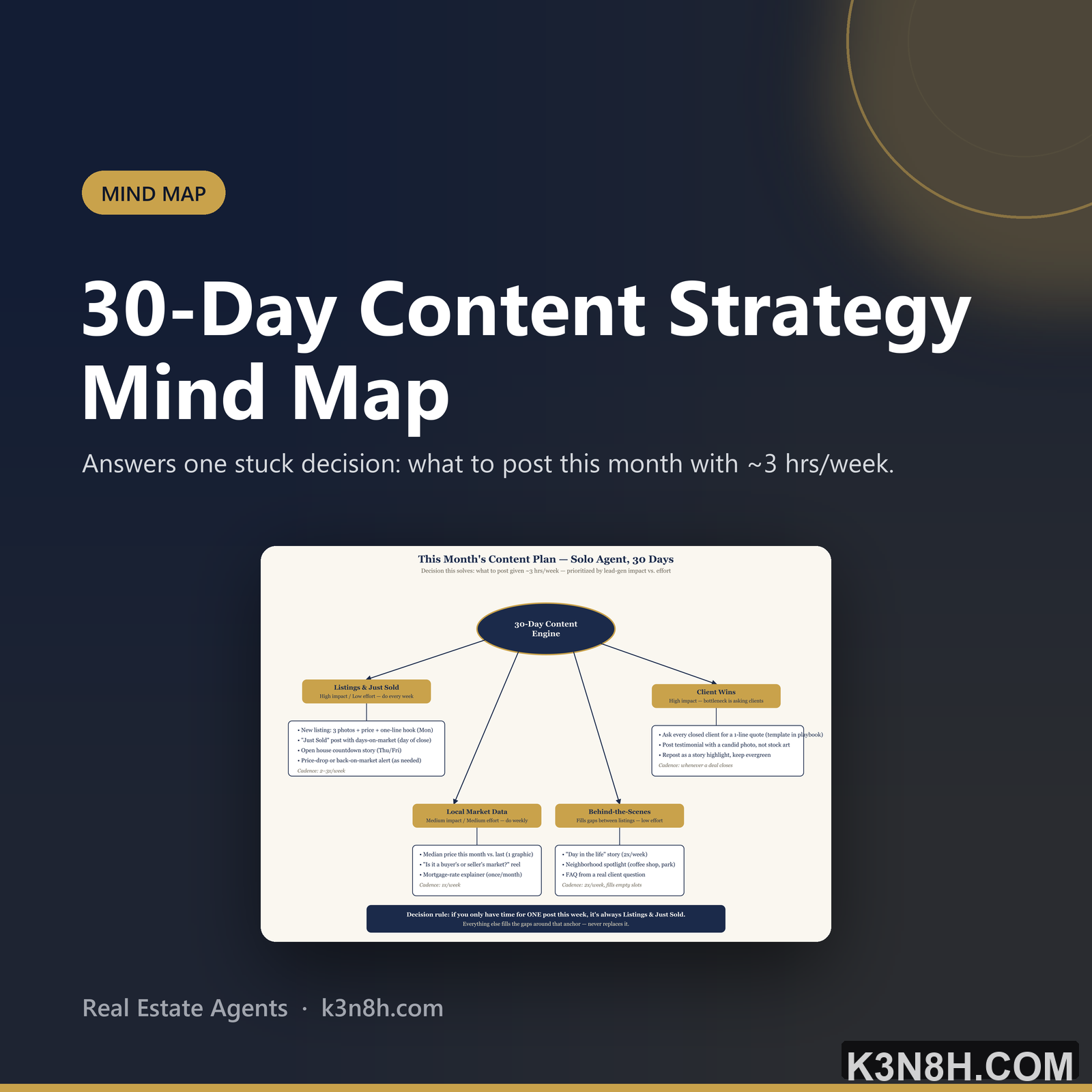
30-Day Content Strategy Mind Map
Answers one stuck decision: what to post this month with ~3 hrs/week.

Real Estate Team Business Plan
Launching a 3-agent team: summary, market, model, GTM, financials, risks — filled example included.